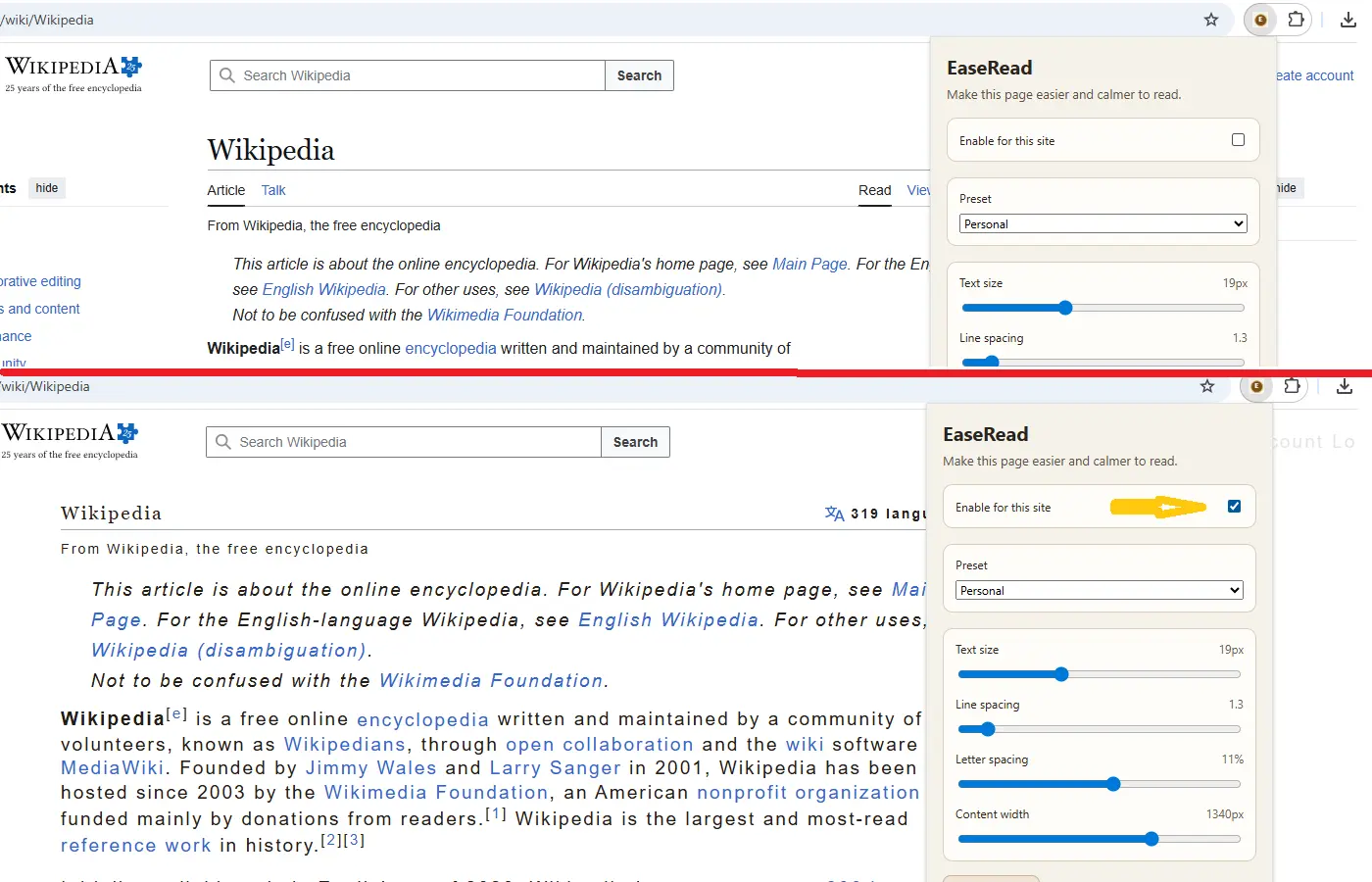
Step 1. Enable it for the site
EaseRead does not turn itself on automatically the first time you visit a site. You enable it only when you actually want the page adjusted.
This guide shows how to use the extension on articles, forums, and other text-heavy pages.
EaseRead does not turn itself on automatically the first time you visit a site. You enable it only when you actually want the page adjusted.
Use the popup to tune text size, line spacing, letter spacing, and content width until the page feels less cramped and easier to follow.
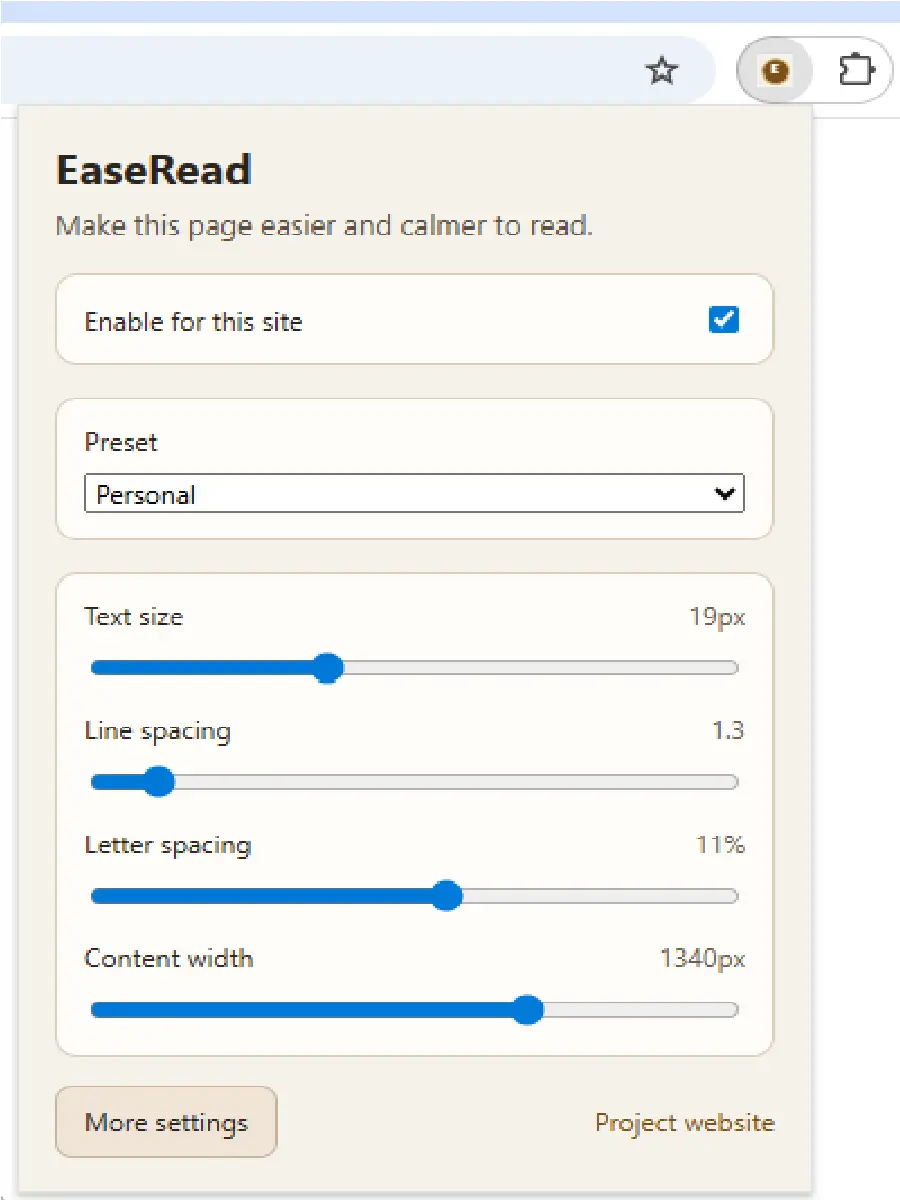
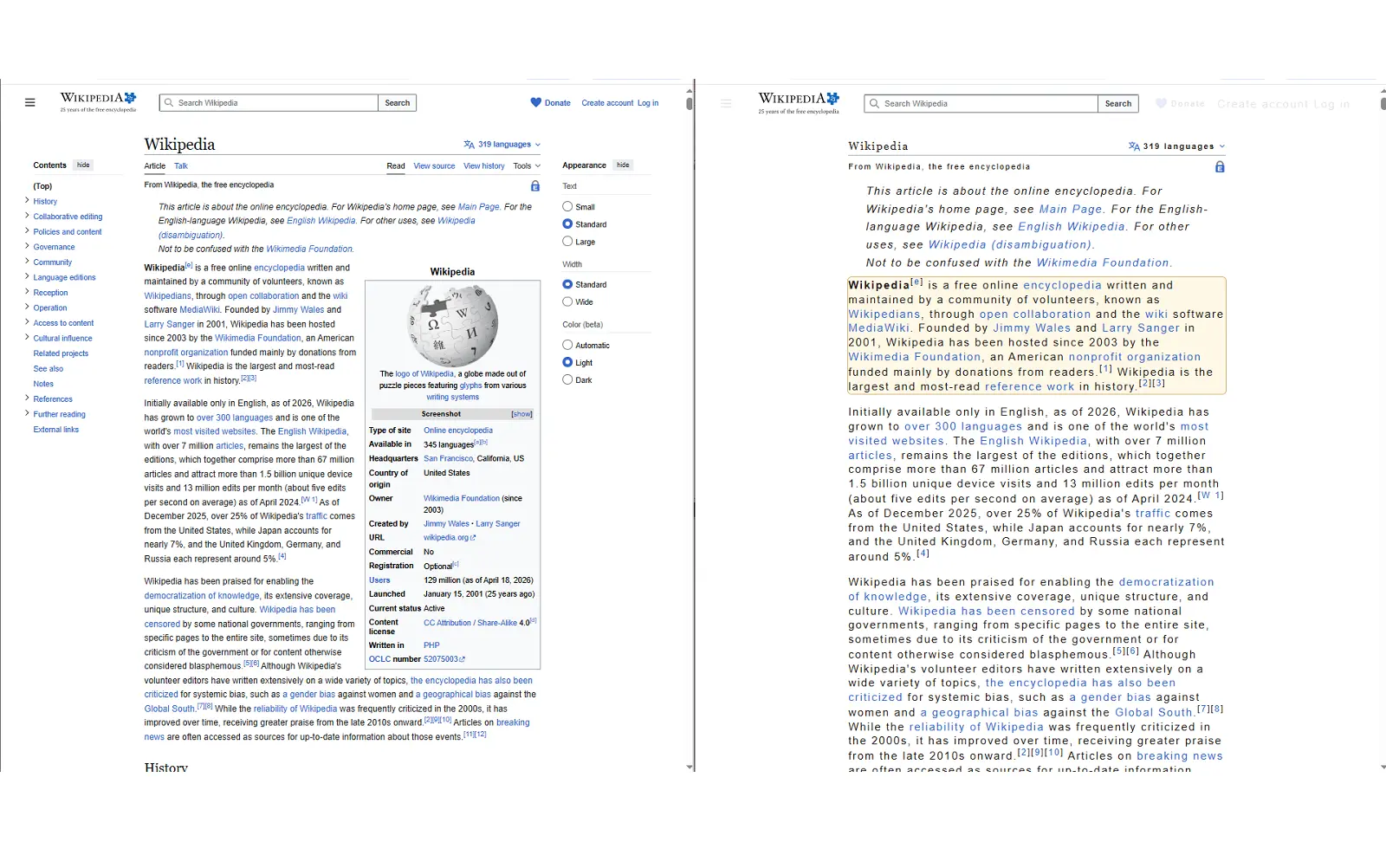
Content width is one of the most useful controls because many sites make the main reading area narrower than it needs to be.
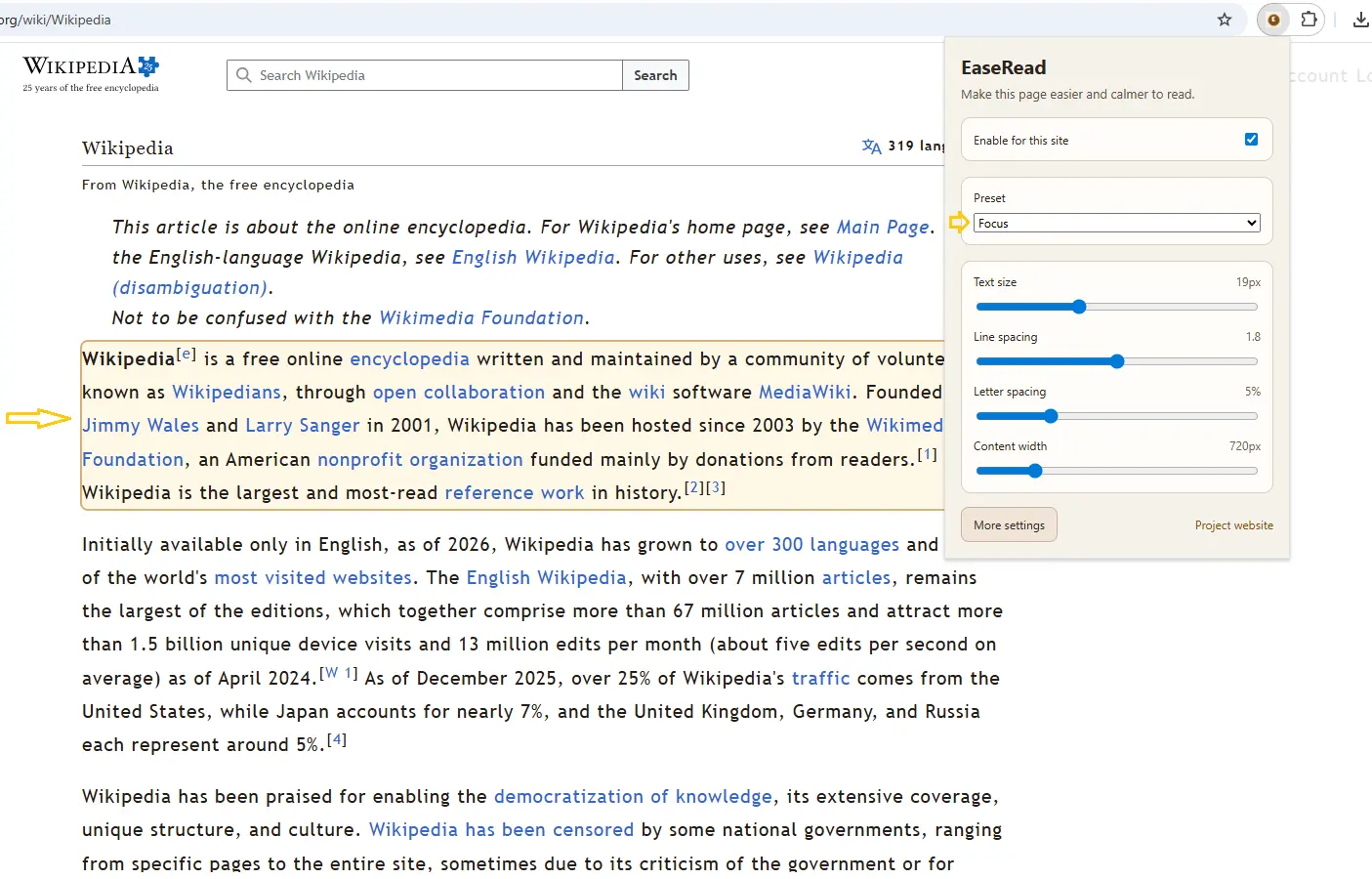
If a page is visually noisy or your attention drifts, paragraph focus mode can make it easier to stay with the current section of text.
This page is written in plain language and tied closely to the real problems the extension addresses: clutter, cramped text, weak focus, and tiring layouts.
It is meant to be useful to real readers first, and discoverable through search second.