Dyslexia-aware direction
Dyslexia Ease speaks directly to dyslexia and real reading difficulty instead of hiding behind vague productivity language.
Dyslexia Ease is the home of EaseRead, a browser extension that helps reduce clutter, widen cramped layouts, improve spacing, and make reading on the web feel calmer and easier to follow.
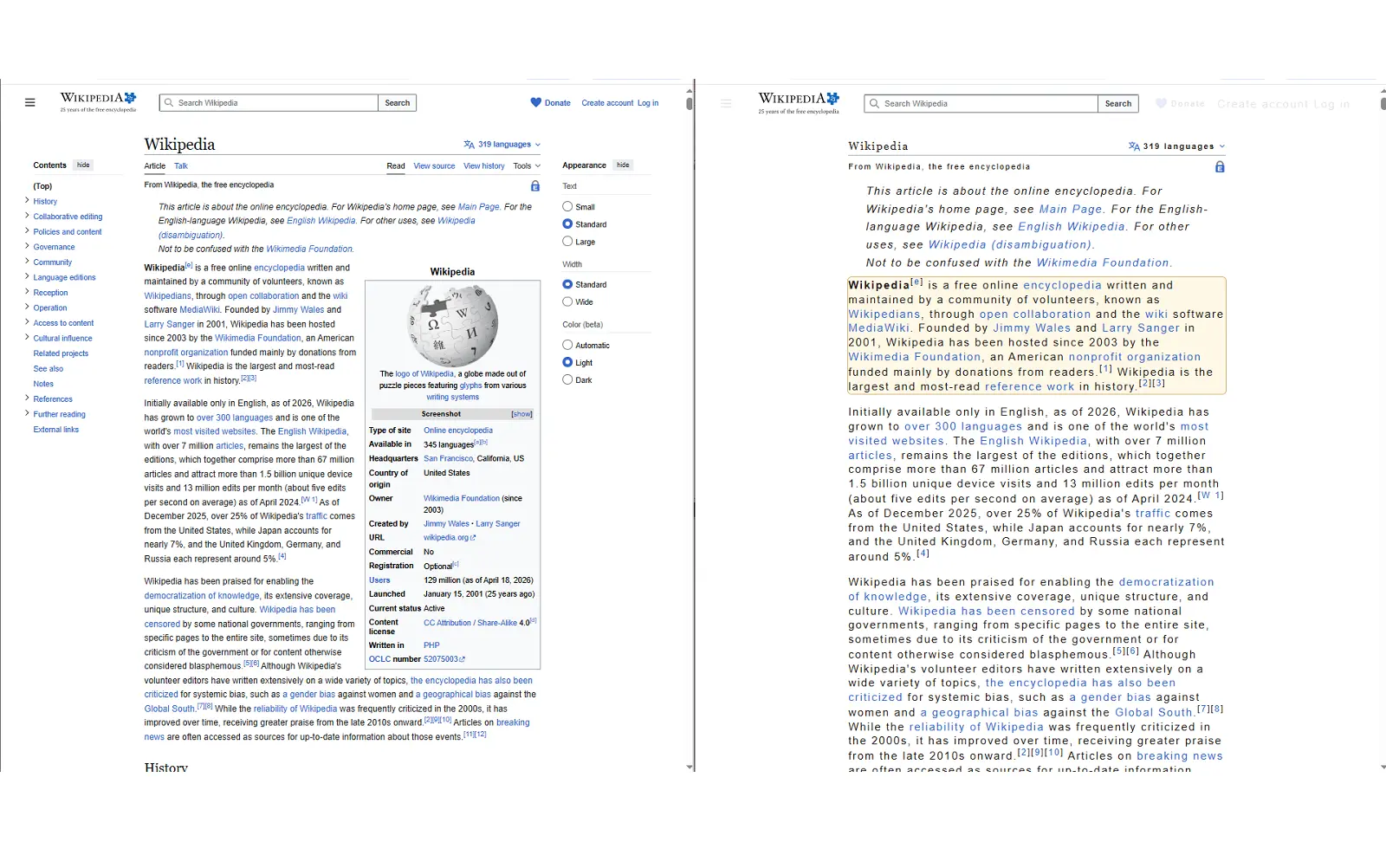
This project is built around one simple idea: if reading on the web feels visually exhausting, the page should adapt to the reader, not the other way around.
Dyslexia Ease speaks directly to dyslexia and real reading difficulty instead of hiding behind vague productivity language.
EaseRead focuses on spacing, width, focus, and calmer layout before anything more advanced.
The extension was shaped through repeated testing on articles, forums, and other text-heavy pages.
These are the main features that make EaseRead genuinely useful in day-to-day reading.
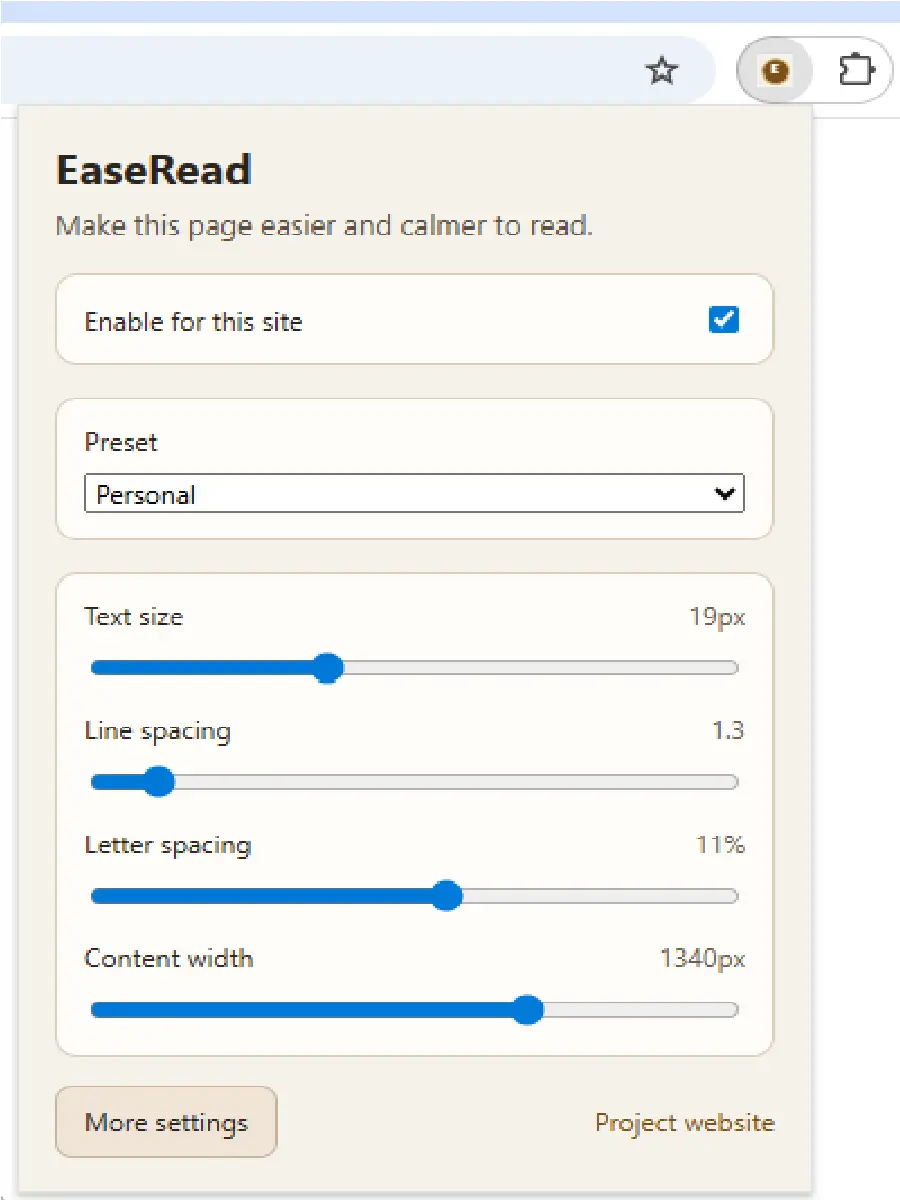
Change text size, line spacing, letter spacing, and content width so the page fits the way you read best.
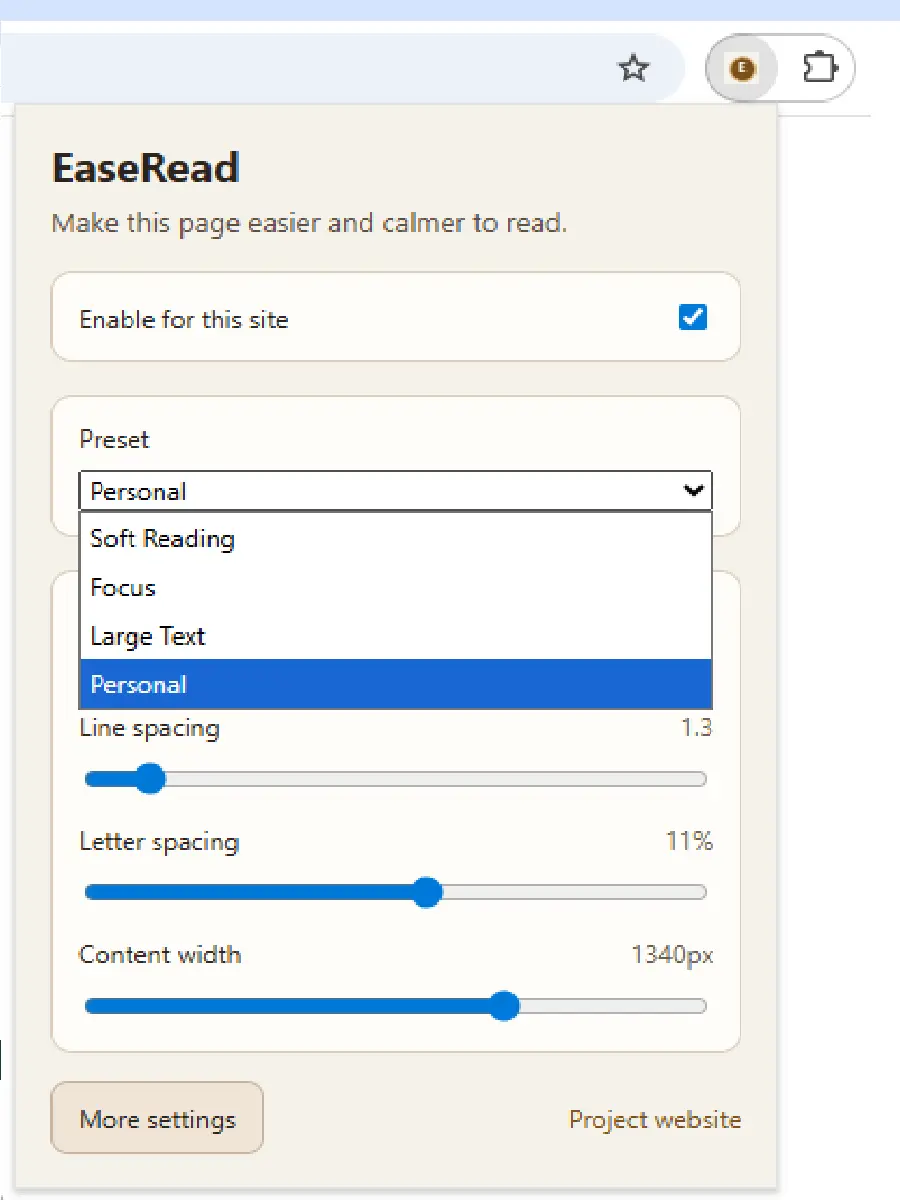
Start with a preset, switch into Personal mode, and use paragraph focus when you need help staying with the current block of text.
Increase or decrease text size without zooming the whole page.
Add more breathing room between lines and reduce visual crowding.
Improve character separation where text feels too visually packed.
Widen narrow reading columns so the main content feels less cramped.
Start with a useful preset and fine-tune from there.
Keep your own preferred reading setup when manual adjustments matter more than presets.
Follow the current paragraph more easily and reduce attention drift.
A short path to the core experience. A longer guide lives on the full How To page.
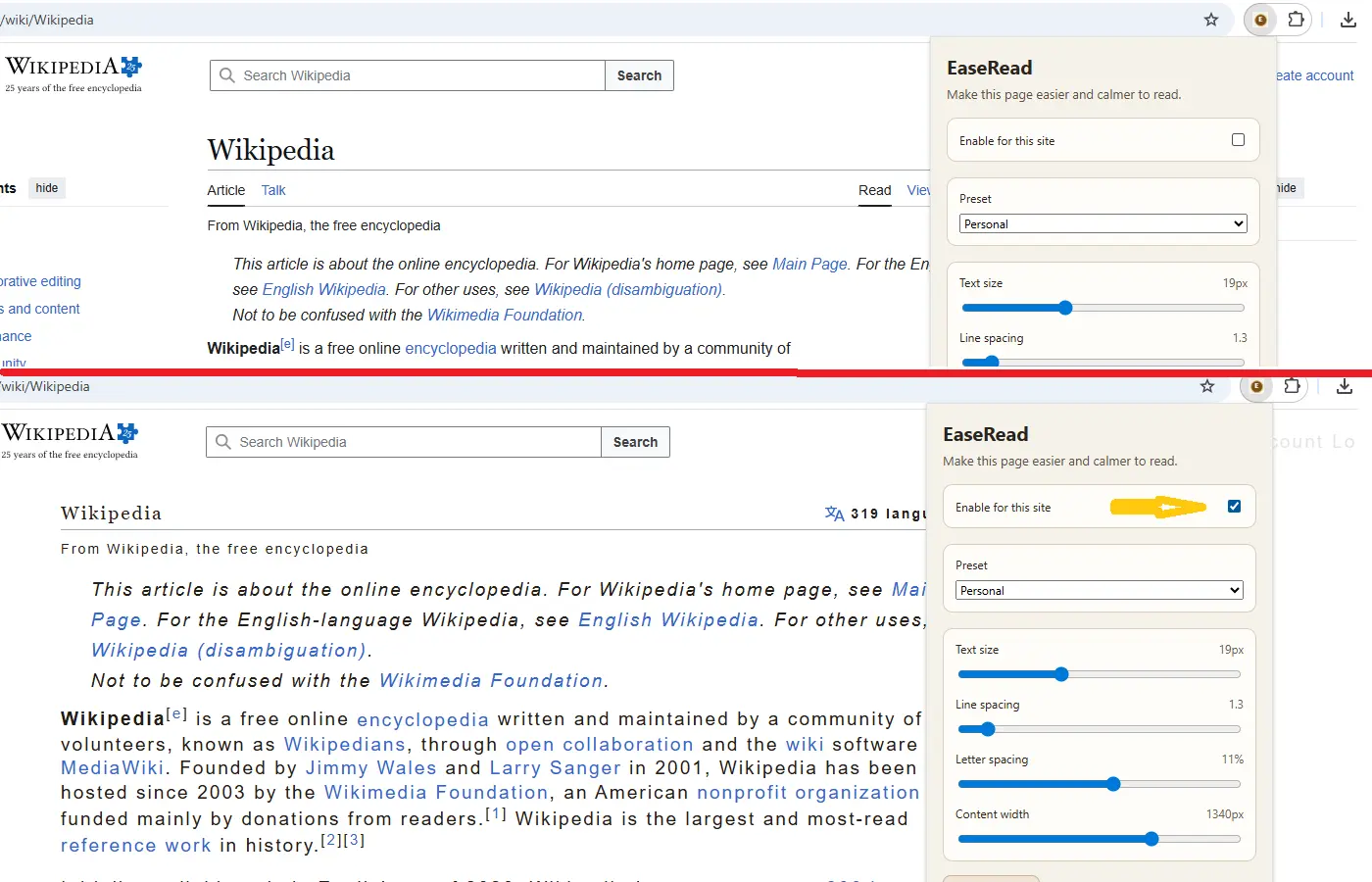
Open a text-heavy page and enable EaseRead for the current site. The extension stays off by default until you choose to use it.
Change size, spacing, width, and focus until the page feels easier and calmer to read.
Version 1 gives direct control over the reading experience instead of forcing one "special" layout on every user.
Change text size, line spacing, and letter spacing directly in the popup.
Widen or narrow the reading area per site, which turned out to be one of the most useful controls in real use.
Highlight the current paragraph to reduce drifting attention while reading.
The extension is in final preparation for Chrome Web Store publication. The public install link will appear here as soon as the listing is live. Until then, you can review how it works, read the privacy policy, and send feedback.
Short answers to the most important questions about reading support, safety, pricing, and data handling.
It makes text-heavy pages easier and calmer to read by adjusting spacing, width, layout, and focus.
It is built for people with dyslexia, similar reading difficulties, or anyone who gets overloaded by visually heavy pages.
Yes. EaseRead works locally in the browser and stores only the settings needed to remember your reading preferences.
No. The extension is free to use.
It stores reading settings and per-site enablement preferences so the extension can function correctly.
No. It is a practical reading support tool, not a diagnosis or treatment product.
It works best on normal text-heavy web pages. Some complex web apps and special formats need future improvements.
The next major planned feature is manual reading-area selection, followed later by text-to-speech.